
 EN
EN
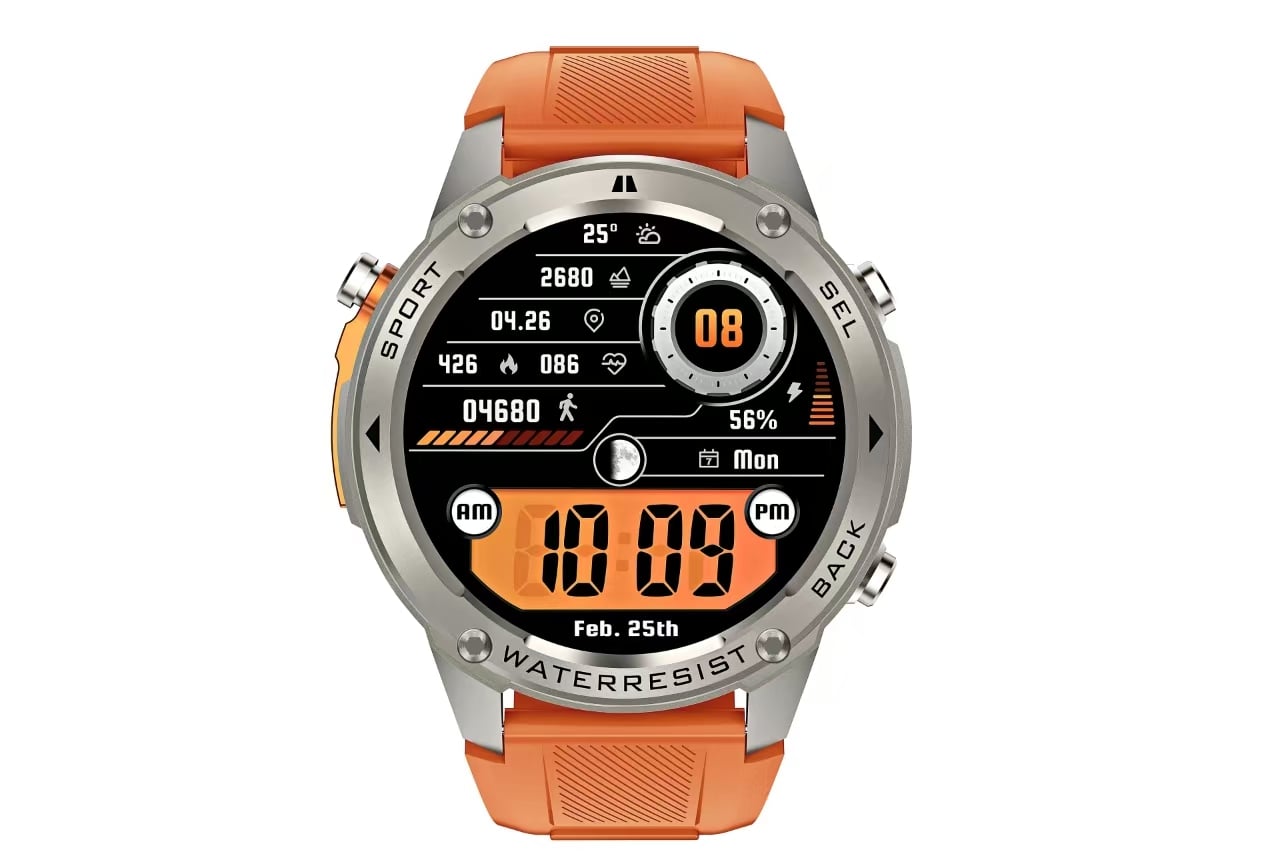
The Watch Face Is Just the Start—The App Is the Real Control Panel
Pull a smartwatch out of the box, and the first thing that catches the eye is the display. But that default watch face? It’s a placeholder. The real customization horsepower lives elsewhere—in the companion application running on the paired phone. Without that app, a smartwatch is essentially a glorified digital clock with limited onboard editing capabilities.
Take a look at any modern smartwatch lineup, from the X2PRO with its GPS offline maps and 5ATM waterproofing to the AK93 with its 1.53-inch HD screen and SOS flashlight. Each of these devices ships with a default interface, but the ability to tailor that interface to individual preferences comes entirely through the app. The watch hardware provides the canvas; the app delivers the brushes, the palette, and the instruction manual.
Personalization That Actually Means Something
Watch face customization isn't just about picking a different color scheme—though that's certainly part of it. The real value lies in curating what information appears on the wrist at a glance. A serious runner might want real-time pace, heart rate zone, and distance front and center. Someone in a desk job might prioritize calendar reminders, step count, and weather. A night-shift worker might need a red-toned face that preserves night vision and reduces eye strain.
The companion app makes this possible by offering a library of watch face templates, each with configurable complications—those small data widgets that display everything from battery percentage to upcoming meetings. Android's Wear OS documentation explicitly notes that companion configuration activities give users access to the full set of configuration choices because it's easier to interact with complex menus on the larger phone screen. This isn't a design flaw; it's a practical recognition that tapping through nested options on a 1.4-inch display is an exercise in frustration.
A 2025 market report projects the global Wear OS watch face app market to grow from $138 million to $173 million by 2031, at a CAGR of 3.8%. Another analysis puts the market at $1.1 billion in 2025 with an expected 10.6% CAGR through 2035, driven largely by increasing demand for personalized watch faces. These numbers reflect a clear user preference: people want their wearables to look and function the way they want, not the way the factory decided.
Settings That Would Be a Nightmare to Manage On-Wrist
Consider the sheer volume of configurable parameters on a typical smartwatch. Notification filters, vibration patterns, screen timeout durations, brightness curves, activity goal thresholds, health monitoring intervals, and shortcut button assignments—the list goes on. Now imagine navigating all of these through a tiny touchscreen with swipe gestures and on-screen keyboards.
That’s where the app becomes indispensable. The phone application provides a structured interface where settings are organized logically, often with search functionality and visual previews. Changing a setting on the phone takes seconds; finding the same setting buried in the watch's menu system can take minutes—if the user can locate it at all.
One manufacturer's support documentation describes the initial setup process: after downloading the companion app, users enter basic biometric data like gender, height, and weight so the watch's algorithms can more accurately track movement and health metrics. This data entry is vastly simpler on a phone with a proper keyboard than on a watch face. The same principle applies to every subsequent adjustment.
Firmware Updates and Feature Additions
Smartwatches are not static devices. Manufacturers regularly release firmware updates that add new sports modes, refine heart rate algorithms, or patch security vulnerabilities. These updates are almost always delivered through the companion app rather than directly to the watch.
The technical reason is straightforward: the watch has limited storage and processing power for downloading and verifying large update packages. The phone handles the heavy lifting—downloading the firmware, checking its integrity, and then pushing it to the watch via Bluetooth. This approach also allows updates to occur in the background while the user continues wearing the watch, minimizing disruption.
Beyond firmware, the app serves as a gateway to new watch face designs and feature modules. Some apps include built-in marketplaces where users can browse and install third-party watch faces. Others offer creation tools that let users design faces from scratch using photos from the phone's gallery. Neither of these capabilities would be practical to implement directly on the watch hardware.
Health Data That Needs a Bigger Screen to Make Sense
Modern smartwatches are packed with sensors—optical heart rate monitors, accelerometers, gyroscopes, barometric altimeters, and sometimes even skin temperature sensors. The watch itself can display basic metrics like current heart rate or step count. But for any meaningful analysis—trends over time, sleep stage breakdowns, or recovery recommendations—the data needs to be visualized on a larger screen.
The companion app aggregates data from the watch, applies algorithms to interpret it, and presents it in charts, graphs, and summary reports. This is where users spot patterns: noticing that sleep quality dips after late meals, or that resting heart rate trends upward during stressful work weeks. The watch collects the raw data; the app turns it into actionable insight.
This two-device architecture also enables features like remote data backup and multi-device synchronization. If a watch is lost or replaced, the app can restore settings and historical data from the cloud—something that would be impossible if all configuration lived solely on the watch.
A Real-World Scenario: The Outdoor Worker
Consider a field technician who spends eight hours a day outdoors in variable weather. This user needs a watch face that prominently displays barometric pressure and temperature—not because they're a weather enthusiast, but because sudden pressure drops signal approaching storms that could shut down outdoor work.
Setting this up requires the app. The default watch face on most outdoor smartwatches shows time, date, and maybe step count. To add barometric pressure and temperature complications, the user must open the companion app, select a compatible watch face template, assign the desired data sources to specific complication slots, and sync the configuration to the watch. The entire process takes about three minutes on a phone. On the watch itself, the same task would involve scrolling through multiple menus, squinting at tiny icons, and repeatedly tapping to confirm selections—assuming the watch even supports on-device complication editing, which many don't.
The Trade-Offs Worth Acknowledging
The app-dependent model isn't without its drawbacks. If the phone is out of battery, lost, or simply not nearby, the watch operates in a degraded state. New watch faces can't be loaded, settings can't be adjusted, and firmware updates can't be applied. Some manufacturers have attempted to mitigate this by building basic customization options directly into the watch, but these are almost always a stripped-down subset of what the app offers.
There's also the compatibility question. Not every phone works with every watch app. iOS and Android support varies by brand, and some apps require specific operating system versions or Bluetooth profiles. Users upgrading their phones occasionally discover that their watch app isn't compatible with the new device—a frustration that manufacturers are slowly addressing through better cross-platform support.
Why the App Ecosystem Matters for the Whole Category
The companion app isn't an accessory; it's the central nervous system of the smartwatch experience. It handles pairing, configuration, data synchronization, firmware updates, and watch face management. Without it, the watch is a standalone device with limited utility—a fitness tracker that can't track trends, a notification display that can't filter alerts, a customizable accessory that can't be customized.
Shenzhen Karen M Electronics has built its manufacturing approach around this reality, offering devices that ship with companion applications designed for straightforward setup and ongoing management. The company's product lineup—ranging from the GPS-enabled X2PRO to the compact L6 fitness band—all rely on the same app-driven customization framework. For businesses sourcing smart wearables, the quality of the companion app often matters as much as the hardware specifications, because that's where the end-user experience is ultimately shaped.
Table of Contents
- The Watch Face Is Just the Start—The App Is the Real Control Panel
- Personalization That Actually Means Something
- Settings That Would Be a Nightmare to Manage On-Wrist
- Firmware Updates and Feature Additions
- Health Data That Needs a Bigger Screen to Make Sense
- A Real-World Scenario: The Outdoor Worker
- The Trade-Offs Worth Acknowledging
- Why the App Ecosystem Matters for the Whole Category


