
 EN
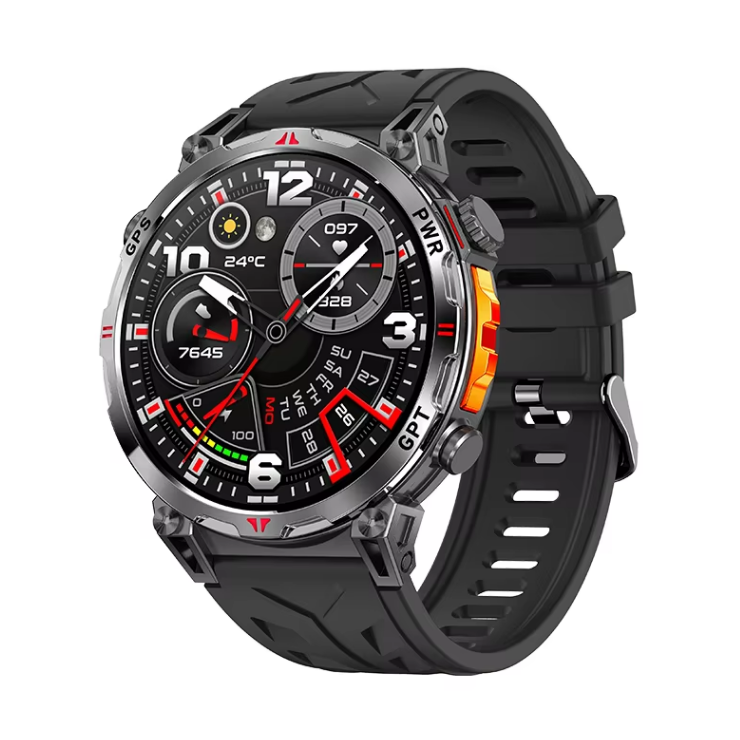
Charging anxiety is a real travel problem, not a spec sheet vanity metric
Frequent travelers do not obsess over battery numbers for fun. They obsess because a dead watch at the wrong moment creates a small but sharp inconvenience. A boarding pass stored on the wrist, a transit alert, a hotel booking confirmation, or a quiet alarm for an early flight all depend on the device staying awake. Airport outlets are contested, hotel sockets sit behind furniture, and multi-country trips often mean a different plug adapter for every stop. A long battery life smart watch removes one charging task from an already crowded routine. Industry surveys, including IDC's wearable device tracking, consistently place battery life among the top purchase considerations for smartwatches. That ranking makes sense for anyone who spends more nights in hotels than at home.
Battery capacity is only half the story, low-power design is the other half
A bigger cell helps, but it is not the whole answer. A long-lasting smartwatch usually combines several engineering choices. The display may use an always-on mode that dims pixels and refreshes less often. The chipset may switch between performance and efficiency cores based on workload. The operating system may batch background syncs instead of waking the radio every few minutes. Sensors may sample heart rate at different intervals depending on activity. Each choice saves a little power, and together they add days of runtime. The tradeoff is that some features become less immediate. Notifications may arrive in bursts rather than instantly. GPS may take a few extra seconds to lock. For travelers, those small delays are usually acceptable in exchange for not hunting for a charger during a layover.
| Usage scenario | Typical runtime range | Main power draw | Traveler takeaway |
|---|---|---|---|
| Smart mode with notifications and heart rate | About 7 to 14 days | Screen wakes and radio sync | Good default for city trips |
| Continuous GPS tracking | About 10 to 20 hours | GNSS receiver and mapping | Plan charging around long hike days |
| Always-on display enabled | About 3 to 5 days | Display refresh and ambient light sensor | Useful for meetings, costly for battery |
| Power saver mode | About 20 to 30 days | Timekeeping and basic sensors | Emergency reserve for remote legs |
Time zones, roaming, and background sync quietly drain power
Travel exposes power-hungry behaviors that stay hidden at home. A watch that syncs with a phone across time zones may wake the radio more often. Roaming SIMs and weak signals force the phone to work harder, and the watch follows. Notification volume often spikes during trip planning, with calendar alerts, airline apps, and message threads all competing for attention. A long battery life smartwatch handles this by letting users tune sync frequency and by offering a travel mode that reduces background activity. That mode is not a gimmick. It is a practical response to the way travel changes usage patterns. The honest limitation is that aggressive power saving can delay important alerts, so the setting needs a clear tradeoff, not a blanket recommendation.
Charging hardware and hotel room reality
Charging speed and connector design matter as much as battery size. A magnetic pogo pin charger is convenient at a desk but easy to knock off a nightstand. A cradle-style charger is more stable but bulkier to pack. USB-C charging is increasingly common and reduces the number of cables in a bag. The real-world problem is often not the charger itself but the outlet location. Hotel rooms frequently place sockets behind beds or under desks, which makes overnight charging awkward. Travelers who rely on a watch for alarms and transit alerts cannot afford a missed charge. A long battery life smartwatch reduces the number of nights that require charging, which in turn reduces the chance of a charging failure on a critical morning.
A layover test that exposed a scheduling blind spot
During a sample review for a travel accessories brand, the team ran a multi-leg trip simulation with a watch set to default settings. The device handled the first two days well, but on the third day, after two time zone changes and a long transit through a busy airport, the battery dropped faster than expected. The cause was not the cell. It was a background sync loop triggered by repeated network switching. The fix came from a firmware update that paused non-essential syncs during detected travel and resumed them after a stable connection. That lesson applies broadly. Battery life claims measured in a lab often miss the messy reality of travel. Testing with real itineraries, real roaming conditions, and real notification volume tells a more honest story.
Long battery life still has limits, and travelers should know them
Extended runtime does not mean infinite runtime. GPS, always-on displays, and frequent notifications all shorten the gap between charges. Cold weather reduces usable capacity, and heavy workout tracking can cut a multi-day estimate down to a single day. Travelers who rely on maps and route tracking should plan charging around those activities rather than assuming the watch will last the whole trip. The better approach is to match the power mode to the day. A city day with meetings and dinner can run on smart mode. A hiking day with GPS should start with a full charge and a backup plan. That kind of honest planning beats any single battery number on a spec sheet.
For brands building travel-friendly wearable lines, Karen M brings Shenzhen-based manufacturing experience, quality control discipline, and supply chain support that help turn a long battery life smartwatch concept into a reliable product.
Table of Contents
- Charging anxiety is a real travel problem, not a spec sheet vanity metric
- Battery capacity is only half the story, low-power design is the other half
- Time zones, roaming, and background sync quietly drain power
- Charging hardware and hotel room reality
- A layover test that exposed a scheduling blind spot
- Long battery life still has limits, and travelers should know them


