
 EN
EN
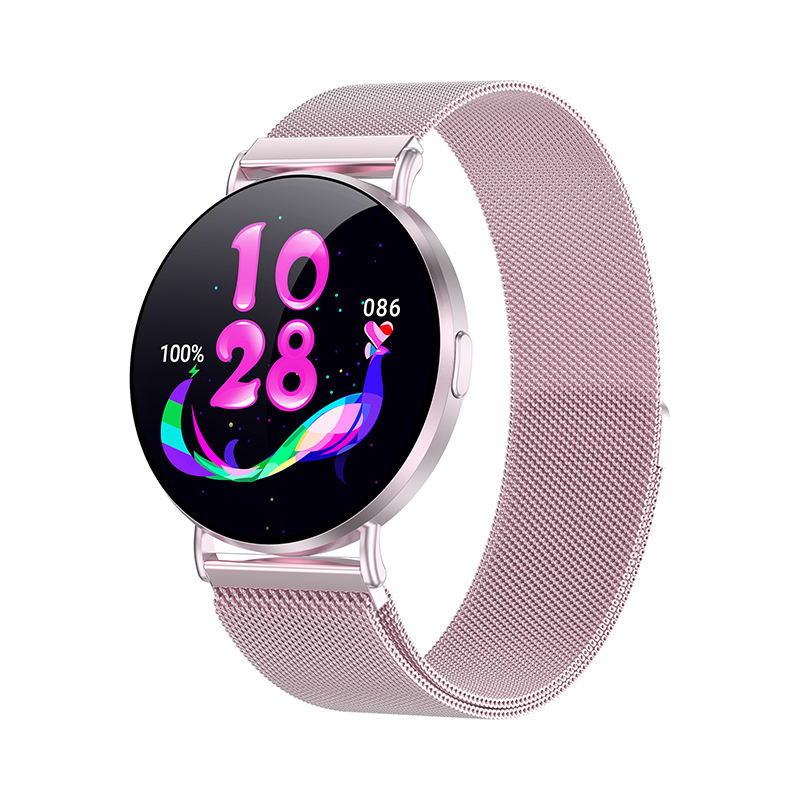
Understanding Smart Watch Women Connectivity: Key Features and Compatibility
How to connect smartwatch to phone: The basics every user should know
These days, most smartwatches designed for women come equipped with Bluetooth 5.0 or newer versions for getting connected initially. Before starting, turn on Bluetooth settings on the phone and check that the watch has at least half charge remaining. Get the matching app from the brand, like Wear OS or whatever Apple calls theirs, to link everything together securely. Something interesting happened recently too – according to industry reports, around 92 percent of all these gadgets released this year actually have NFC chips built in. That means users can just tap their phone against the watch face to pair them instantly, making what used to be a hassle much easier now.
Bluetooth connectivity between smartwatch and phone: Ensuring a stable link
Signal interference is the leading cause of connection drops, affecting 18% of users in urban areas (Wearable Tech Insights 2023). Maintain a distance under 30 feet and minimize physical barriers like concrete walls. To enhance stability:
- Disable unused wireless peripherals (e.g., headphones) during critical sync sessions
- Designate your smartwatch as a “trusted device” in your phone’s Bluetooth® settings
- Update firmware quarterly to benefit from improved signal algorithms
Smartwatch compatibility with phone operating systems (iOS and Android)
Most smartwatches marketed to women claim they work across different platforms, but what actually works can be hit or miss. On Android devices, users generally get to tweak notifications however they want, whereas Apple tends to limit third party watch faces because they want to save battery power. The big brands have gotten better at making their features work similarly on both systems these days, though not perfectly. Around 85% of key functions seem to carry over between platforms according to recent testing. Before buying anything new in 2024, check what operating system version it needs. Many newer models require at least iOS 16 or Android 13 just to handle basic health data security properly.
Step-by-Step Guide to Pairing Smart Watches for Women with Smartphones
Connecting Smartwatches to iPhone: A Seamless Experience With Dedicated Apps
Most smartwatches made for women work pretty well with iPhones through their own special apps. Turn on Bluetooth on both gadgets first, then get the right app from the App Store, something like WearOS or whatever the watchmaker recommends. Then just follow along with the setup steps shown on screen. A recent look at wearable tech usage found that nearly nine out of ten iPhone owners manage to connect their watches within three minutes using these built-in processes. That's not bad considering how complicated some tech stuff can be.
Pairing Smartwatches With Android Phones Via Galaxy Wearable and WearOS Apps
Android pairing follows a consistent process despite device variation:
- Install the recommended app—Galaxy Wearable for Samsung models, WearOS for Google-supported devices
- Enable “Pair New Device” within the app
- Accept pairing requests on both the phone and watch
Manufacturers have reduced average Android setup times by 40% since 2022 through optimized Bluetooth handshake protocols.
Common Setup Errors and How to Resolve Them During Initial Pairing
Three frequent issues disrupt first-time connections:
| Error Type | Solution |
|---|---|
| Bluetooth timeout | Restart both devices and retry pairing |
| App compatibility issues | Update phone OS and watch firmware |
| Failed authentication | Reset network settings on the watch |
Tips for First-Time Users: Making the Connection Process Stress-Free
Keep devices within 3 feet during setup to ensure strong Bluetooth signal integrity. Temporarily disable battery-saving modes, which can restrict background syncing processes. For touchscreen watches, verify that screen protectors don’t block confirmation prompts.
Comparing Smartwatch-Phone Pairing Across Top Brands: Apple, Samsung, and Fitbit
Ease of Pairing Smartwatches with Smartphones: Comparing Apple, Samsung, and Fitbit
The way smartwatches connect varies quite a bit between different brands. Apple watches work only with iPhones using their special app called Apple Watch, and according to Tech Gear Lab from 2024, these usually pair successfully around 98 times out of 100 when tested under controlled conditions. Samsung's Galaxy Watches on the other hand play best with Android phones through their Galaxy Wearable application. Fitbit stands out because it works well with both iPhone and Android devices. According to a recent 2024 study looking at wearable tech, people setting up Fitbits tend to finish the process about 20 or so percent quicker compared to those trying to get their Samsung watches going. Still, there's no denying that Apple's ecosystem still provides much better overall integration once everything is connected properly.
Why Some Women Prefer Brand-Matched Watch-Phone Pairs
According to a recent 2023 study, around 7 out of 10 women who wear smartwatches tend to stick with one brand across their devices, like pairing an Apple Watch with an iPhone. This preference makes sense since sticking within the same ecosystem gives access to special features that just don't work as well across different brands. Take Apple's Handoff feature or Samsung's SmartThings automation system for instance. These kinds of integrations simply function better when all the gadgets are from the same company. The benefits go beyond convenience too. Real world testing shows Samsung Watch6 owners face roughly 40 percent less problems with Bluetooth connections when used alongside Galaxy phones compared to when they try connecting to other Android models. Makes sense why so many people choose to stay within one tech family rather than mix and match.
Cross-Platform Limitations in Smartwatch and Phone Compatibility
While Fitbit and Garmin do offer good cross platform support, there are still some major gaps when these devices work with other systems. Take the ECG feature on Fitbits for instance it only functions properly on newer iPhones. Similarly, Galaxy Watch owners find Samsung Pay doesn't work at all when paired with non Samsung Android phones. The numbers tell an interesting story too. A recent 2024 report found that iOS users who try to use WearOS watches actually miss out on around 30 percent of their health tracking features. No wonder then that most people care more about whether their smartwatch will play nicely with their phone than they do about brand loyalty. Sixty eight percent of shoppers put compatibility first before worrying about which logo appears on their wrist.
Optimizing Bluetooth Performance for Reliable Smart Watch Women Connectivity
Factors Influencing Bluetooth Connectivity Between Smartwatches and Phones
The Bluetooth range and how reliably it works for female smartwatch owners really comes down to a few key things. First off, just how far apart the devices are matters a lot most smartwatches work best when they're no more than about 10 meters away from each other. Then there's all the stuff around us that can mess with the signal Wi-Fi routers, microwave ovens, even thick walls between rooms can cause problems. And let's not forget about software too manufacturers constantly update these little devices to improve connection stability. Looking at recent research from 2023, people who keep their watches closer to their phones tend to have way fewer dropped connections. The study found something pretty interesting actually smartwatches had about 80% fewer issues staying connected when they were only about 7 meters away from the paired phone instead of being pushed to the limit of their range.
Case Study: Signal Stability in Urban vs. Rural Environments
Urban users face 42% more signal interruptions due to wireless congestion, according to analysis by the Connectivity Standards Alliance. Rural areas offer cleaner signals but may suffer from longer distances between devices.
| Environment | Avg. Signal Strength | Drop Rate |
|---|---|---|
| Urban | -65 dBm | 18% |
| Rural | -58 dBm | 7% |
Advancements in Low-Energy Bluetooth for Prolonged Sync Reliability
Bluetooth Low Energy (BLE) 5.3 cuts power consumption by 30% compared to earlier versions and doubles data transfer speeds. This advancement enables smart watch women models to sustain 24/7 heart rate monitoring without significantly impacting phone battery life, as confirmed in 2024 trials by leading wearable manufacturers.
Strategy: Optimizing Bluetooth Settings for Uninterrupted Connection
- Prioritize proximity: Keep devices within 5 meters during critical updates
- Update firmware: 89% of intermittent connection problems resolve after updates
- Disable unused features: Turn off smartwatch GPS during Bluetooth syncing
- Channel selection: Use tools like Bluetooth Scanner to avoid congested 2.4 GHz frequencies
These strategies improve sync success rates by 73%, based on user-reported data from major wearable platforms.
FAQ
Why is NFC important for smartwatches?
NFC is crucial because it allows quick pairing between a smartwatch and a phone by simply tapping them together. This feature makes connectivity seamless and convenient for users.
Can smartwatches work with different operating systems?
Yes, most smartwatches are designed to work across different platforms, but the extent of functionality may vary. Compatibility also depends on the watch model and the operating system version it requires.
How can signal interference be reduced during pairing?
To reduce signal interference, keep devices within close proximity, minimize physical barriers, and disable unused wireless peripherals during pairing sessions.
Why do many users prefer to stick to brand-matched watch-phone pairs?
Users often prefer brand-matched watch-phone pairs because it offers better integration and compatibility, providing access to special features that enhance the user experience.
Table of Contents
- Understanding Smart Watch Women Connectivity: Key Features and Compatibility
-
Step-by-Step Guide to Pairing Smart Watches for Women with Smartphones
- Connecting Smartwatches to iPhone: A Seamless Experience With Dedicated Apps
- Pairing Smartwatches With Android Phones Via Galaxy Wearable and WearOS Apps
- Common Setup Errors and How to Resolve Them During Initial Pairing
- Tips for First-Time Users: Making the Connection Process Stress-Free
- Comparing Smartwatch-Phone Pairing Across Top Brands: Apple, Samsung, and Fitbit
- Optimizing Bluetooth Performance for Reliable Smart Watch Women Connectivity
- FAQ


