
 EN
EN
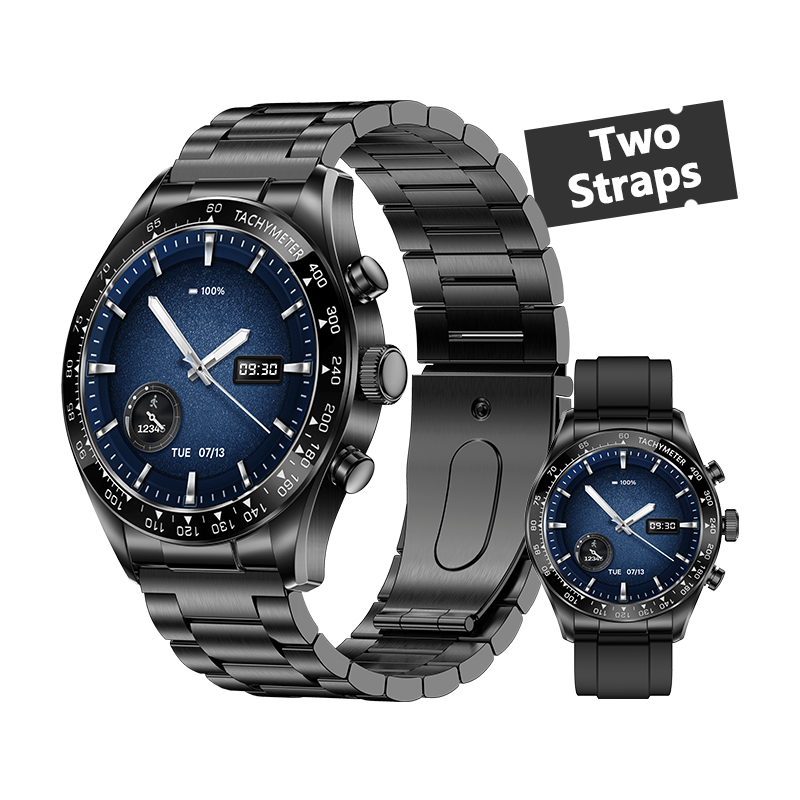
Why a Smartwatch for Men Must Prioritize Business Productivity
The Shift from Fitness Tracker to Executive Command Center
Smartwatches for men aren't just about counting steps anymore. They've become something else entirely these days - almost like little command centers for busy professionals. According to recent market research, around two thirds of male executives actually care more about productivity stuff than their health stats now. That's pretty surprising when we think about it, right? The trend started showing up in 2024 and keeps growing. What's driving this change? Well, people need tools that help them make tough calls quickly, work across different time zones without missing a beat, and stay focused despite all the distractions modern life throws at us. Some top smartwatches connect straight to company systems too. They show key performance indicators in real time, pull up meeting prep materials before appointments, and offer quick glance dashboards so users don't have to constantly check their phones during important client meetings or boardroom sessions.
Core Integrations That Matter: Calendar Sync, Email Triage, and AI-Powered Voice Assistants
Three integrations define elite business smartwatches:
- Intelligent Calendar Sync, which auto-adjusts for time zones and surfaces relevant files before meetings
- AI-Powered Email Triage, using natural language processing to categorize messages by urgency and intent
- Voice Assistants that execute complex, context-aware commands—such as “Email project team: Q3 targets achieved with 12% margin”—with >95% accuracy
When all these features work together, they form something close to a smooth working environment. Just looking at calendar sync helps prevent people from missing appointments about 4 out of 10 times. And those smart alerts? They save around half an hour each day spent sifting through emails. When someone is on the road or stuck between meetings, speaking commands lets them grab notes right away. The system writes everything down and sends it safely to Microsoft 365 and similar business tools. This keeps things moving forward without making anyone look unprofessional.
Design and Build Quality: Professional Aesthetics Meets All-Day Durability
Materials That Signal Authority: Titanium, Sapphire Glass, and Subtle Branding
When we talk about premium materials, it's not really about being fancy or expensive. These materials actually tell people that something is serious business and will last when things get tough. Take titanium alloys for instance. They have this military grade strength but weigh about 45 percent less than regular stainless steel. Plus they don't rust, which makes them great for folks who travel around the world a lot. Then there's scratch resistant sapphire glass. It's way harder than those mineral glasses out there, roughly eight times harder if I remember right. That means watches stay clear even after years of getting bumped around during everyday life. The branding on these products tends to be pretty low key too. Sometimes just a tiny logo etched somewhere or some simple color accents. This approach doesn't draw attention away from what matters most while still making a statement about quality. All these design decisions come down to one thing: good looks shouldn't interfere with how well something works, and solid construction naturally builds trust over time.
Watch Faces and UI Principles for the Boardroom — Not the Gym
Smartwatches made for business folks are all about getting things done quickly rather than tracking workouts. The watch faces tend to be simple, almost like old school analog designs, but they show just what matters most: when meetings are scheduled, different time zones around the world, and subtle signs when someone is messaging. Instead of tapping screens like those fitness watches, these devices use physical buttons and spinning crowns so people can adjust settings quietly during important talks. When it comes to customizing the look, professionals want stuff that helps them work better, not track their pulse. So instead of seeing heart rates, they might see stock prices, deadlines for projects, or alerts from customer relationship management systems. All this streamlined design actually works pretty well according to research. People finish tasks about 27 percent quicker with these clean interfaces compared to the busy ones found on regular consumer smartwatches.
Enterprise-Ready Security and Connectivity for On-the-Go Professionals
eSIM Independence, Encrypted Notifications, and Remote Wipe Capabilities
Executives who travel constantly between office buildings, airport terminals, and business centers around the world need top level security that just cannot be ignored. The new integrated eSIM tech keeps people connected on their calls and internet access even if they leave their phones behind somewhere. This means no dropped connections while flying across time zones or waiting at customs checkpoints. Every message gets locked down from start to finish with encryption methods approved under FIPS 140-2 standards. That protects important stuff like private meetings with the board of directors or confidential financial reports. If someone loses their device or it gets stolen, administrators can erase all company information remotely through special web portals. Latest security studies from 2023 show these wiping features cut down hacking chances by about two thirds compared to regular password protection alone.
Secure NFC Payments and Verified App Ecosystems (Wear OS Enterprise Edition)
Modern business smartwatches with NFC payment capabilities basically act as secure digital wallets these days. The system works by replacing real credit card numbers with temporary codes generated through tokenization technology. And before any purchase goes through, employees must authenticate themselves using biometrics like voice recognition or fingerprint scans. When it comes to corporate environments, platforms such as Wear OS Enterprise Edition have built in security measures that control which apps can run on company devices. Only software from trusted developers who've passed rigorous checks gets approved for installation. Financial apps and those used for managing projects go through even stricter evaluations to satisfy both FINRA standards and GDPR regulations regarding data encryption and compliance. This extra layer of scrutiny helps prevent malicious software from getting onto work devices while making sure everything stays within the bounds of company IT policies.
Intelligent Notification and Communication Management for High-Stakes Roles
For executives in high-pressure roles, a smartwatch transforms from a convenience into a mission-critical communication hub. Rather than flooding users with noise, modern executive-focused wearables use AI to filter, prioritize, and deliver only what demands immediate attention—turning the wrist into a precision instrument for decision velocity.
Prioritizing Actionable Alerts: Custom Rules by Sender, Context, and Urgency
The ability to customize alerts down to the smallest detail allows people to set rules according to who's sending messages (like board members or important clients), what kind of meeting they're in, or how close a deadline is approaching. Smart systems look at where someone is located, their calendar schedule, and sometimes even background noise levels to decide when to silence those pesky social media notifications during big investor meetings, but still let through critical alerts from engineering managers via Slack. What this smart filtering does is cut down mental clutter by around 40 percent compared to getting every notification straight onto the phone screen. That means company leaders can focus on what really matters without getting sidetracked by random updates and messages throughout the day.
Hands-Free Call Handling and Discreet Voice Responses in Meetings
If someone calls during a negotiation or presentation, the phone vibrates in specific ways to show how urgent it is, all without lighting up the screen and disrupting things. Modern voice assistants recognize speech over 95 percent of the time, so people can respond quietly with preset messages like "I'm in a meeting, will call back in 15" or just whisper to reschedule. When something really important comes through, walking outside makes sense for clear hands free calls thanks to the internal microphone. All these little tech tricks help maintain professional appearances while avoiding that awkward moment when someone scrambles with their phone. Most folks save about eight minutes each time they switch between meetings because of this smooth setup.
Beyond Notifications: Task Execution and Time Optimization Tools
Voice-First Task Capture with >95% Accuracy and Cross-Device Sync
Smartwatches today let business leaders turn those sudden ideas into real actions without stopping what they're doing. Most voice command systems get around 95 percent right when transcribing stuff, so people can record meeting points, set deadlines, and add reminders while commuting or waiting between meetings. Once captured, these tasks just pop over to all verified devices through secure cloud storage, which means follow ups show up right away on desktops, calendar apps, and even team collaboration boards. Some studies point out that this kind of smooth tech saves about 18 minutes every day that would otherwise be wasted switching back and forth between different tasks, something that makes these devices absolutely essential for top management folks trying to stay productive.
Remote Presentation Control, Calendar Navigation, and Meeting Summarization
Wrist-worn devices have really changed how we handle important situations during meetings. Need to move to the next slide? Want to emphasize certain stats? Tired of reaching for your computer? Just tap on the smartwatch instead. These gadgets let professionals manage presentations right from their wrists. Meanwhile, calendars powered by artificial intelligence look at past behavior to figure out when someone should start preparing for meetings, when they need extra travel time between appointments, and even fix conflicting schedules before they become problems. After the meeting wraps up, these systems automatically create short summaries showing what was decided, who's responsible for follow-up tasks, and when things need to be done. Instead of spending ages going through notes, teams get key takeaways in just a few seconds. Research shows that all this automated help cuts down on note-taking time by around two thirds, which means employees can spend those saved hours on bigger picture thinking rather than getting bogged down in paperwork.
FAQs
Why are smartwatches for men shifting from fitness trackers to productivity tools?
The shift is primarily driven by the need for tools that aid in quick decision making, time zone management, and focus amidst distractions. Smartwatches now provide features such as real-time KPI displays, meeting prep materials, and quick dashboard glances to facilitate efficient business operations.
What are the key integrations for business smartwatches?
Key integrations include intelligent calendar sync that adjusts for time zones, AI-powered email triage, and voice assistants capable of executing complex commands with high accuracy.
How do design and materials of business smartwatches reflect authority?
Premium materials like titanium and sapphire glass indicate durability and authority without being flashy. These design choices focus on longevity and professional aesthetics, symbolizing reliable and serious business tools.
How do smartwatches ensure security for traveling professionals?
Smartwatches ensure security through features like eSIM for connectivity, encrypted notifications, and remote wipe capabilities to protect sensitive information and maintain communication without a phone.
How do smartwatches manage notifications effectively for executives?
AI-driven filtering prioritizes alerts based on custom rules by sender, context, and urgency, reducing mental clutter and allowing focus on critical tasks only.
Table of Contents
- Why a Smartwatch for Men Must Prioritize Business Productivity
- Design and Build Quality: Professional Aesthetics Meets All-Day Durability
- Enterprise-Ready Security and Connectivity for On-the-Go Professionals
- Intelligent Notification and Communication Management for High-Stakes Roles
- Beyond Notifications: Task Execution and Time Optimization Tools
-
FAQs
- Why are smartwatches for men shifting from fitness trackers to productivity tools?
- What are the key integrations for business smartwatches?
- How do design and materials of business smartwatches reflect authority?
- How do smartwatches ensure security for traveling professionals?
- How do smartwatches manage notifications effectively for executives?


